The cover is still present
A visible Slope poster and Play button mean the game has not replaced the cover. Check whether the button responds. Do not confuse the dark parts of the poster with a failed canvas.
A dark player area is a symptom, not a diagnosis. First check whether Play started the game, whether loading reached a later stage, and whether any game elements appeared at all.
A visible Slope poster and Play button mean the game has not replaced the cover. Check whether the button responds. Do not confuse the dark parts of the poster with a failed canvas.
Read the status below the player. A changing loading message points to work still underway. Record the last message before deciding the graphics scene is permanently blank.
Now a graphics or initialization problem is a reasonable area to investigate. Note whether a browser message, sound, or any game text exists. None of those alone proves the full game is usable.
Write down whether the poster vanished and whether the loading status changed. These details distinguish a button problem from a later game problem.
Use Reset player on the home page, then Play again. This is a full page reload, so it ends the current attempt. If the dark state repeats at the same stage, record that rather than looping through reloads.
Use the browser feature check. A missing WebGL context is useful evidence. A passed check does not rule out memory or game initialization problems.
If other graphics-heavy pages also fail, investigate the browser/device graphics environment through supported settings. Avoid changing unrelated permissions or clearing all browsing data as a first move.
| Observation | Useful implication | Still unknown |
|---|---|---|
| A WebGL error is shown | The graphics path is not usable in that session. | The exact driver or device cause. |
| Sound is heard without a picture | Some game or audio work may have started. | Whether rendering completed successfully. |
| The poster never hides | The site’s Play handoff may not have run. | Whether the game would initialize after a working handoff. |
| A new attempt produces the same state | The symptom is repeatable. | Whether the cause is network, device, or application code. |
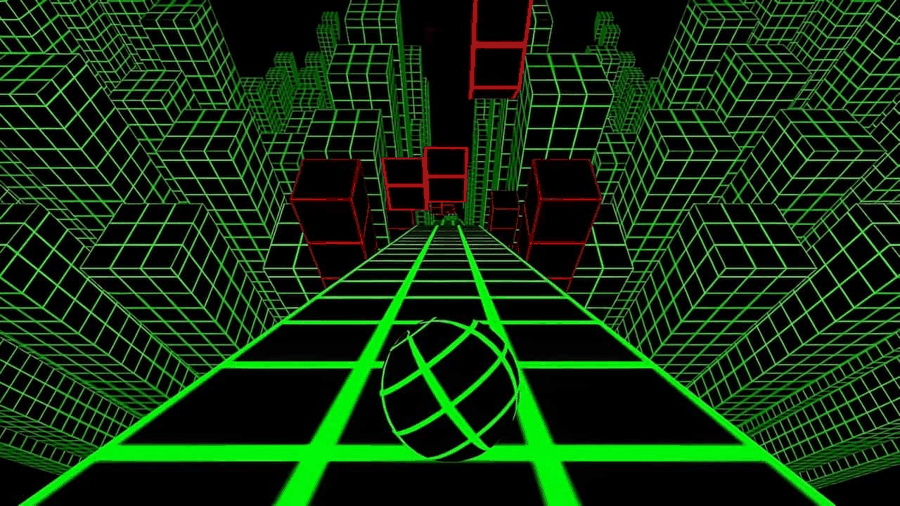
If you briefly see this kind of scene and it later goes dark, say when it changes. If no scene ever appears, say that instead. Also name the game: a related game’s frame and the original local Slope runtime follow different loading paths.
For a related-game player, Close game removes that game window and Play opens it again. For original Slope, Reset player reloads the home page. Use the control actually shown rather than applying one game’s instructions to another.