Slope controls
Two directions do most of the work. This reference separates the keys that steer the ball from the page buttons that open, reset, or expand the player.
Choose one steering pair
Use Left Arrow or A to steer left; Right Arrow or D to steer right. You do not need to hold both pairs at once. Pick the pair that lets your hand rest comfortably, then keep it for a few attempts so a change of finger position does not become another variable.
What each input actually does
| Input or action | Purpose | Useful boundary |
|---|---|---|
| ← / A | Steer left | A longer press can move you farther across the platform. |
| → / D | Steer right | The edge still limits how far you can go. |
| Release a steering key | Stop adding that steering input | It is not a brake or an instant position reset. |
| Forward movement | Handled by the game | There is no need to keep an accelerator pressed. |
| Manual jump | No jump key in the original | The track can launch the ball without a jump command. |
| Play / Reset player / Fullscreen | Buttons on this site | These manage the player, not the ball’s steering. |
Press, observe, release
Begin the move before the obstacle fills your immediate path.
Check the ball’s position relative to both the block and the outer edge.
Leave room for the next correction; do not keep holding just because the block is still visible.
The important distinction is input versus result. Releasing Right does not put the ball back in the middle. If you need to change its path again, judge the new motion before adding a corrective press. The steering guide works through that sequence in detail.
Read the steering space
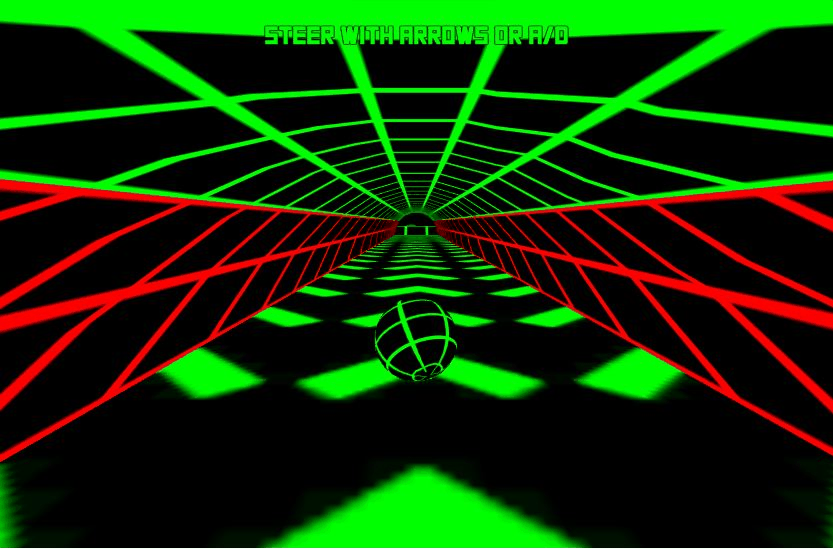
The keys do not create extra floor
The in-game prompt reads “STEER WITH ARROWS OR A/D.” Both pairs provide the same left/right choices. Test one pair after clicking the loaded play area; pressing keys while the article or a text field has focus tests the wrong target.
Keep page controls separate from game inputs: Fullscreen changes the view, and Reset player reloads the session. If a ramp sends the ball airborne, follow the landing guide; Space is not an extra action in this original build.
When the expected key does nothing
Why do the arrow keys scroll the page?
The page may have keyboard focus instead of the game. Click inside the running game and test again on an open section. Follow the focus checks if the same symptom returns.
Can I steer with on-screen buttons?
This site does not add touch arrows to the original build. A responsive page and a playable touch control scheme are different things. See phone and tablet input limits before planning a touch-only session.
Does holding both directions help me stay centered?
Do not use opposing keys as a centering technique. Their combined handling is not a substitute for seeing where the ball is going. Use one deliberate input and observe its result.